How to Use Applymate AI for University Program Matching
 Mahad Munir
QUICK SUMMARY ↬Discover how to use Applymate AI to find university programs matching your profile, budget, and goals — without agents or hidden fees. Step-by-step guide for smarter, faster, transparent applications.
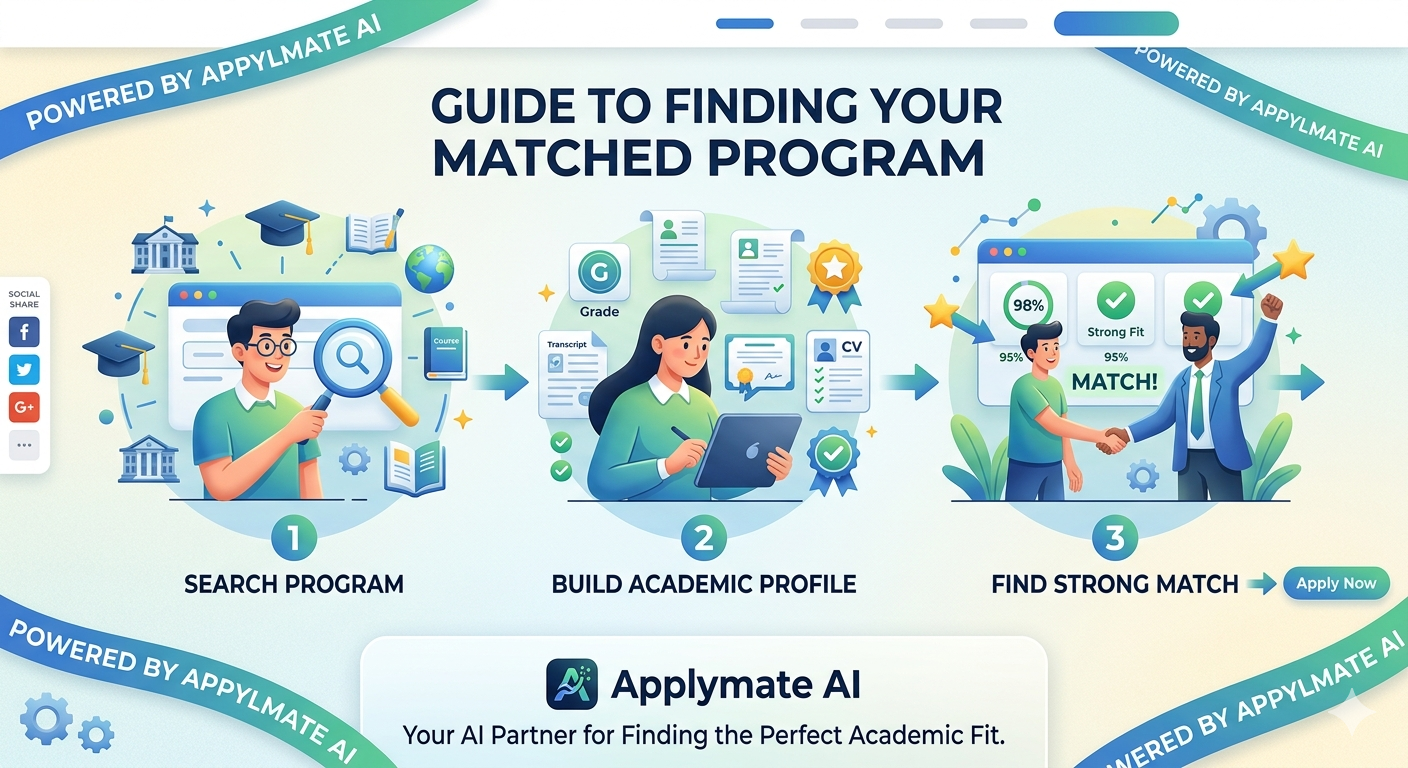
The Hidden Challenges of Searching for International Programs
Finding the right international program sounds exciting at first. You think about new countries, better education, and a fresh start. But once you actually begin the search, things quickly get more complicated than expected.
One of the biggest hidden challenges is too much information. There are thousands of universities, courses, and websites. Everything looks similar, and it becomes hard to know what is real, what is best, and what actually fits your goals.
Another challenge is unclear requirements. Different countries ask for different documents, grades, tests, and deadlines. Many students only find out missing requirements when it’s already too late, which causes stress and delays.
Then comes the issue of trust. Not every source online is reliable. Some programs look perfect on the surface but may not be suitable, accredited, or aligned with your career goals. It’s easy to get confused or even misled.
There is also the problem of time pressure. Deadlines vary across countries and universities, and keeping track of everything can feel overwhelming especially when you’re managing school, exams, or work at the same time.
And finally, many students struggle with decision fatigue. After weeks of searching, comparing, and second guessing, it becomes hard to even know what the right choice is anymore.
That is why searching for international programs is not just about finding options it is about finding the right direction with clear guidance and less confusion.
Introducing Applymate AI: A Transparent, Agent Free Alternative
Applymate AI simplifies your search for international programs by bringing all the important information into one clear place. No hidden agendas, no commission driven suggestions just results based on your profile and goals. You can compare tuition fees, understand real admission requirements, and track application deadlines without jumping between dozens of confusing websites. Instead of scattered information, you get a clean, structured view of what actually matters eligibility, costs, deadlines, and opportunities all in one place.
It helps you quickly filter out programs you don’t qualify for and focus only on the ones that truly match your academic background and budget. Built to remove confusion and guesswork, Applymate AI gives you clarity at every step of your study abroad journey.
A smarter, more transparent way to find the right program on your terms, with full control in your hands.
Step-by-Step Guide: How to Use Applymate AI’s Program Finder
Now, let’s walk through exactly how to use Applymate AI, from account creation to receiving your first set of program matches.
Step 1: Visit the Website
Open your browser and go to applymate-ai.com
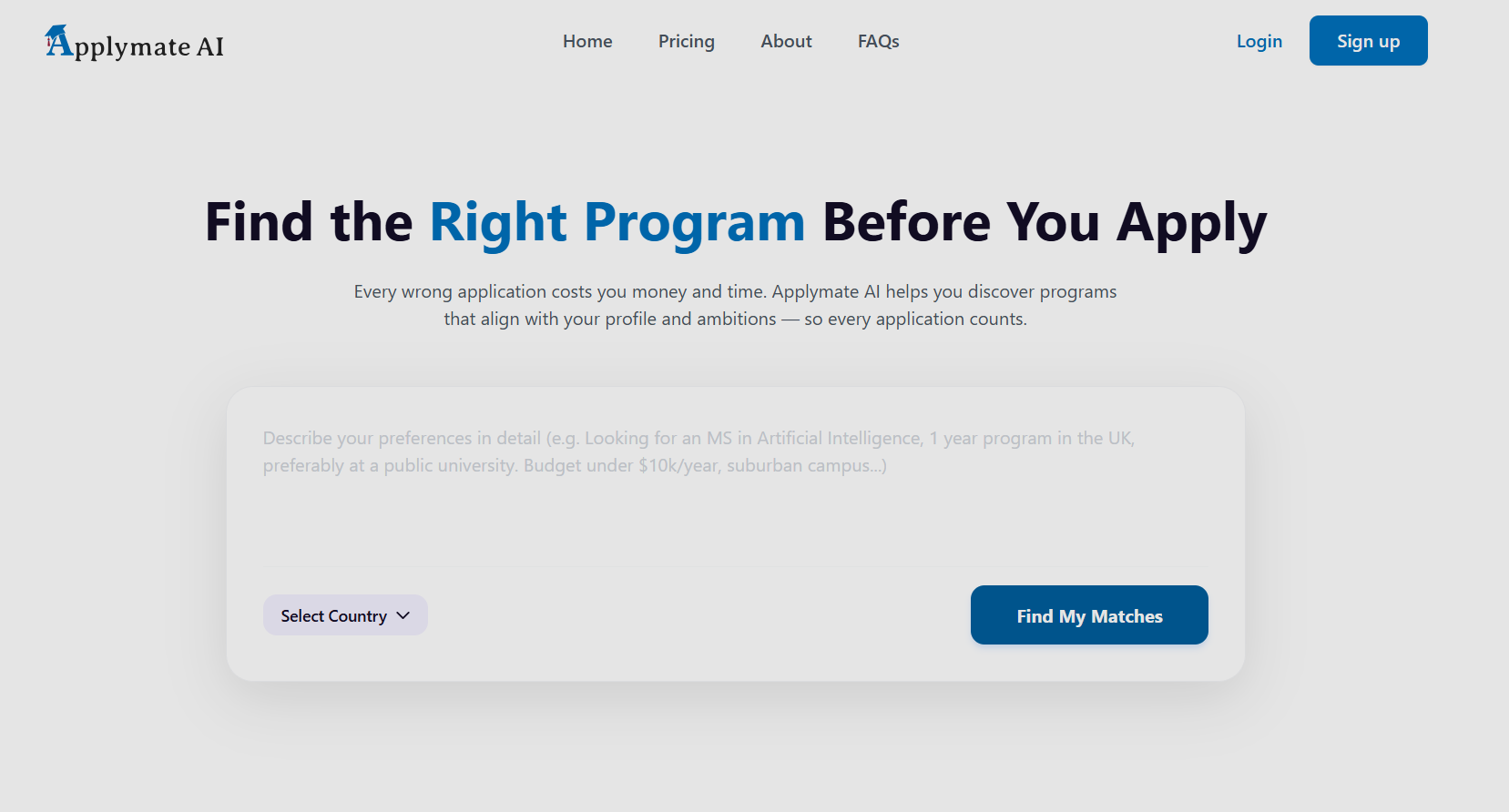
You will land on the homepage, which shows you the description box to Find My Match :
- Enter your description for example which degree you want to do, time duration, country and tuition fees
- Select your preferred country
Since our focus is on finding academic programs, click on the Find My Match option so you can get the matched programms.
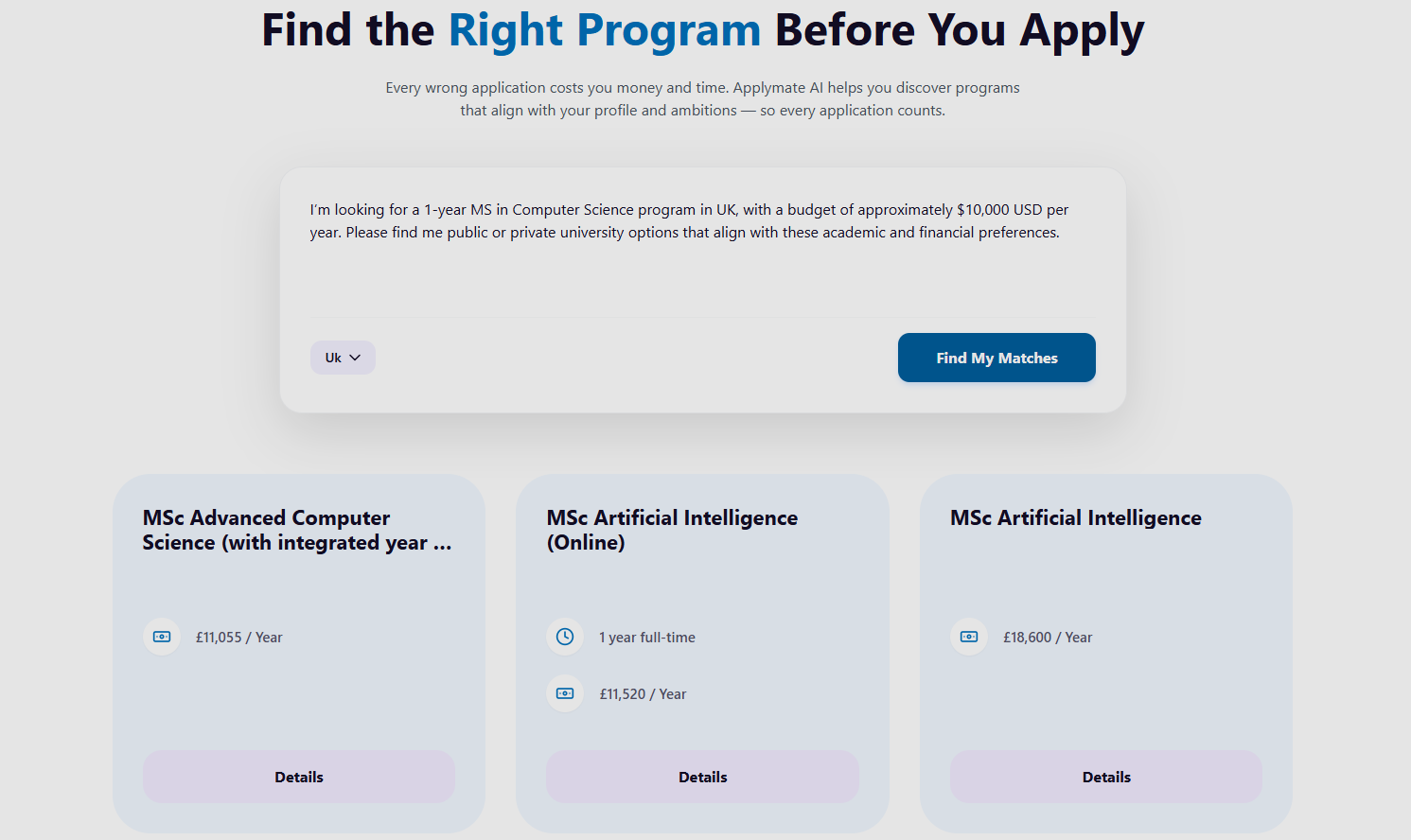
After getting some matched programs you have to click on details so will be direction on the sign up page to get started finding your matched program.
Before proceeding, you need to create an account.
Step 2: Sign Up for an Account
Click the Sign Up button in the bottom of the page to create you account.
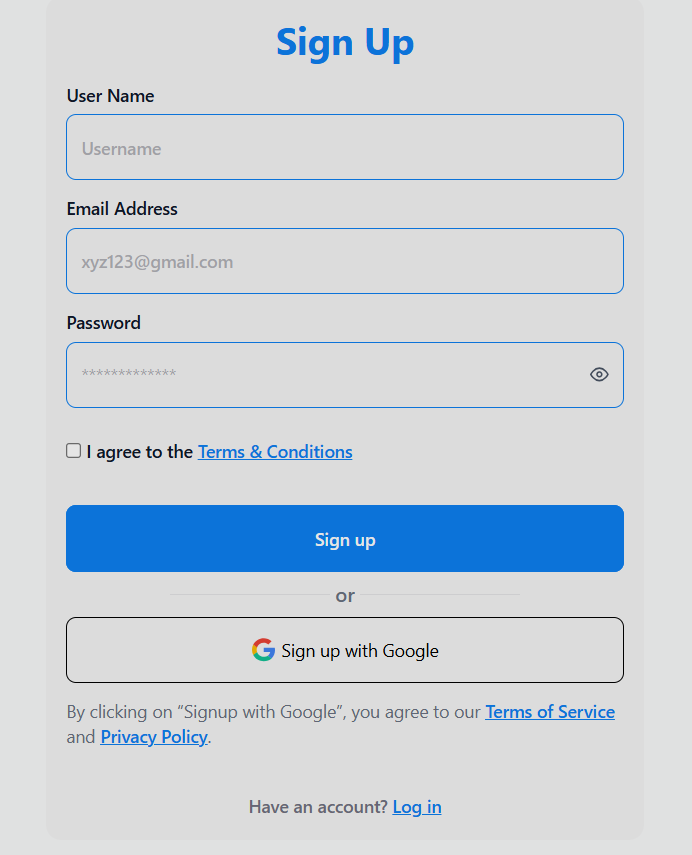
You are directed to the registration page at app.applymate-ai.com/signup.
You have two options:
- Enter your Username, Email Address, and Password manually
- Click Sign up with Google for instant access
If you choose manual registration, you will receive a one-time password (OTP) via email to verify your account. Once confirmed, you will briefly see a Thank You screen before being automatically redirected to your dashboard.
Step 3: Navigate Your Dashboard
Upon logging in, you arrive at your personal dashboard.
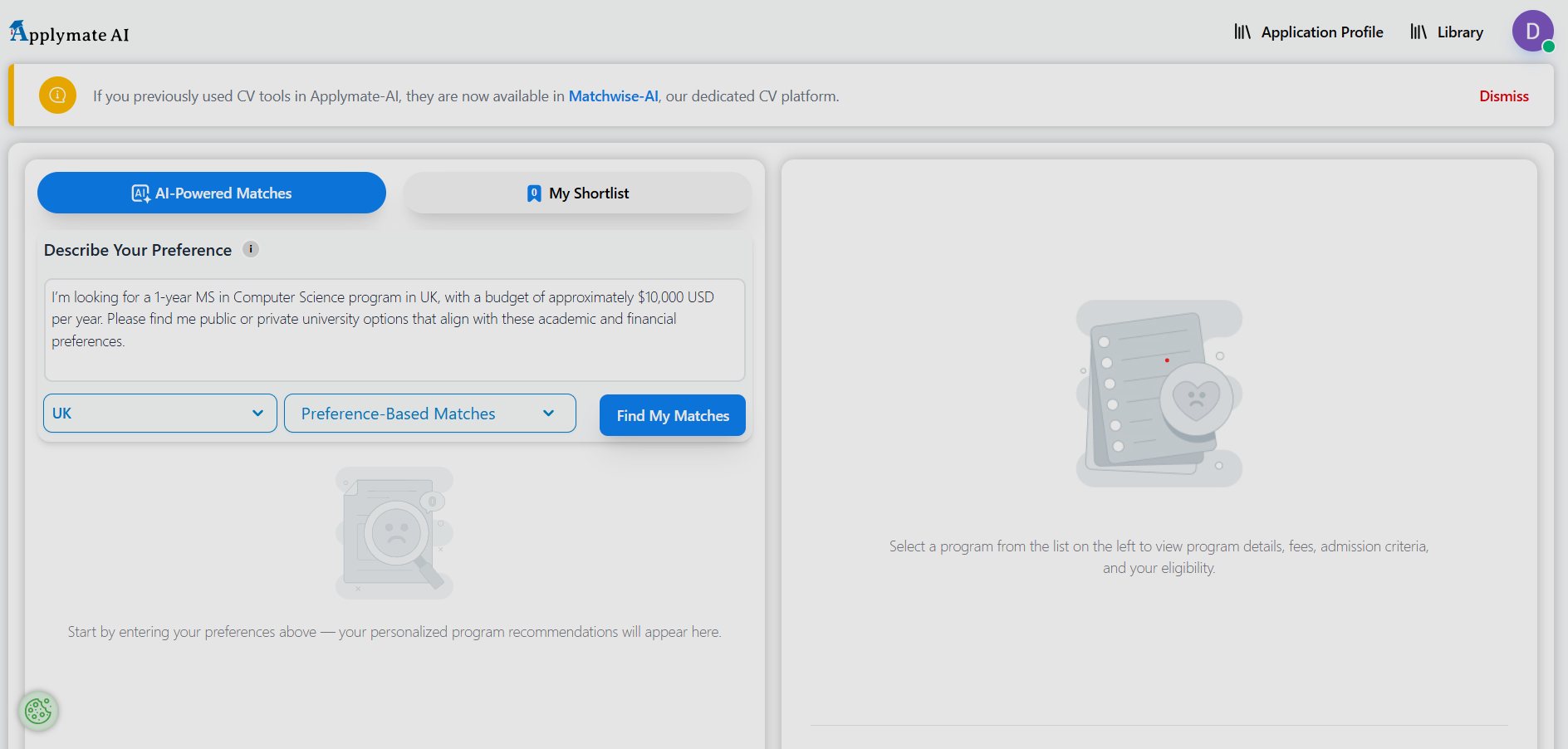
The Dashboard is where your search begins. It is designed to be your central hub for discovering programs that actually fit your profile.
- The Search Box: Use the Describe Your Preference field to tell the AI exactly what you need. Instead of clicking filters, just type your dream scenario (e.g., 1year MS in Computer Science in UK under $10k).
- Location Filter: Use the dropdown menu to pick your target country (like the UK or Germany) to narrow down the geographic scope.
- Match Type: Ensure Preference Based Matches is selected to make the AI focus on your specific text description.
- The Action: Click Find My Matches to trigger the AI engine.
Step 4: Unlock the Full Potential with Premium
Once you hit Find My Matches, you will be prompted to choose your plan. To get the best results and full access to the AI's capabilities, our Premium Plan is the way to go.
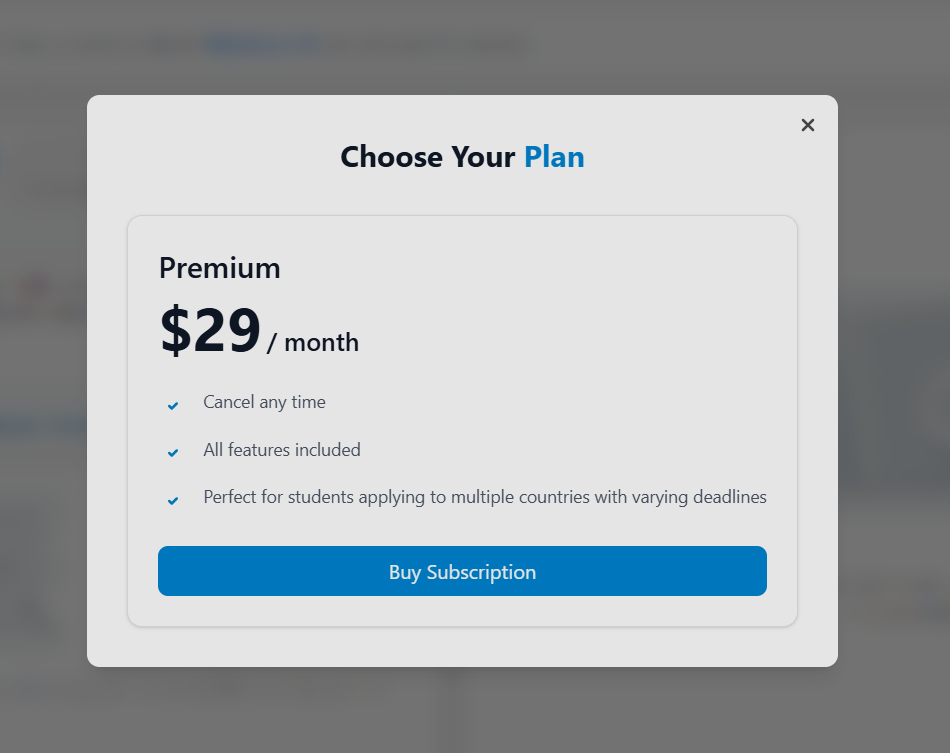
- Cost & Flexibility: For $29/month, you get full access. The best part? You can cancel any time no long term strings attached.
- All Features Included: This isn't just about searching. You unlock every tool in the suite, from deep dive eligibility checks to AI document drafting.
- Built for Serious Applicants: This plan is specifically designed for students applying to multiple countries with different deadlines who need a streamlined, organized process.
- The Action: Click Buy Subscription to instantly unlock your personalized program list and start your application journey.
Step 5: Build Your Application Profile
With your subscription active, it’s time to build your Academic Identity. This page is the foundation the AI uses to calculate your eligibility for every program.
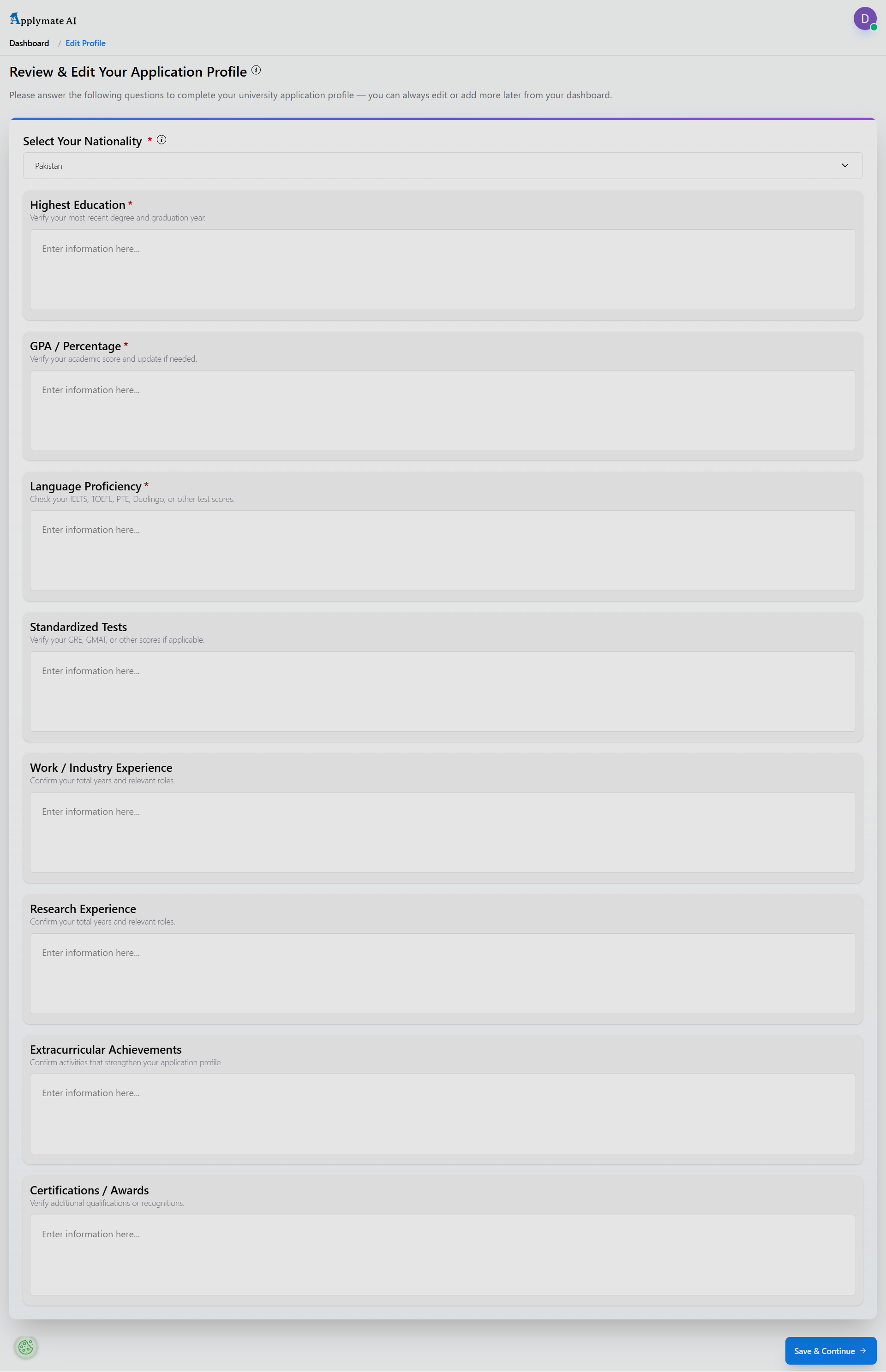
- The Essentials: Start by selecting your Nationality and providing your Highest Education details (degree and graduation year).
- The Numbers: Input your GPA/Percentage and Language Proficiency (IELTS, TOEFL, etc.). Accuracy here is key for the matching engine to work.
- Showcase Your Experience: Don’t leave the Work, Research, and Extracurricular sections empty. These details help the AI identify programs where you have a competitive edge.
- Finalize: Once you’ve filled in your certifications and awards, click Save & Continue.
Step 6: Review and Refine Your Profile
Once you have saved your details, you will see a summary of your Application Profile. This is how the AI sees you when it searches for universities.
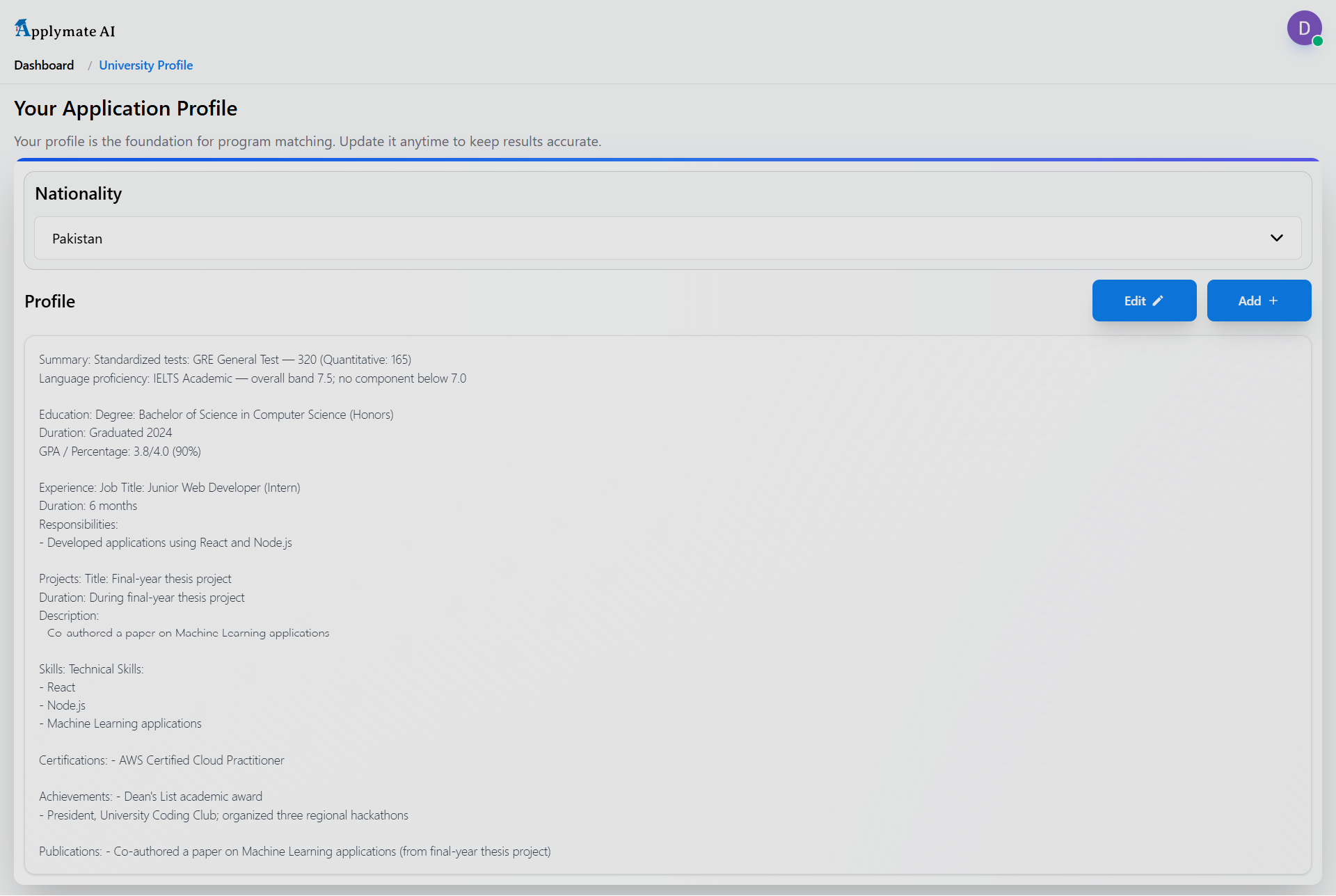
- Quick Summary: Review your standardized tests (like GRE), language scores, and GPA to ensure everything is 100% accurate.
- The Edit Option: Notice a typo or a missing project? Just click the Edit button to go back and fix any section.
- Keep it Current: Your profile is the foundation for program matching. As you gain more experience or get new test scores, use the Add button to keep your profile updated and keep your matching results accurate.
Step 7: Find Your Matches
Now that your profile is complete, you can return to the dashboard to get your personalized results. This is where the AI connects your background with the specific criteria of global universities.
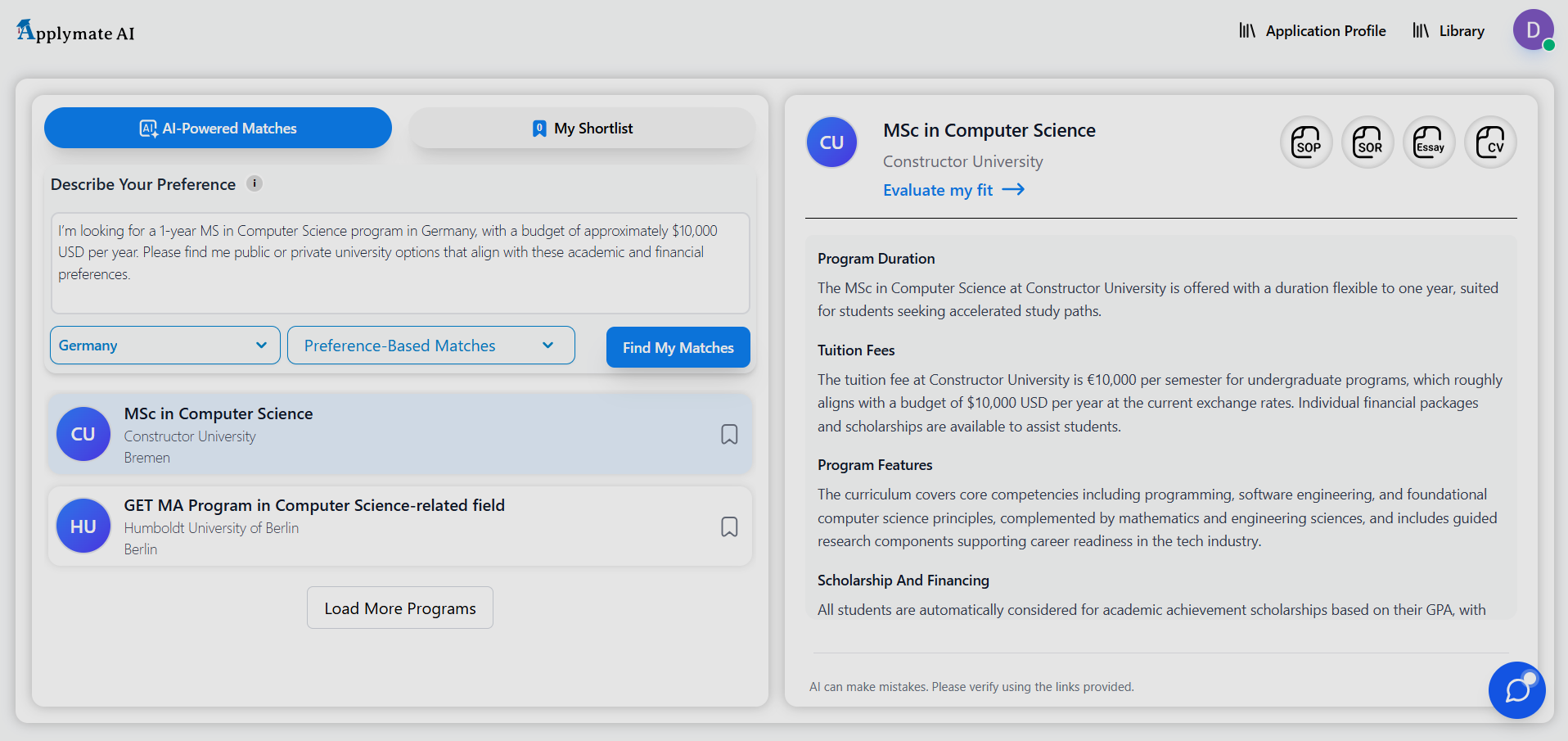
- Refine Your Search: Enter your specific program interests in the Describe Your preference box and select your target country.
- The Results List: Your matched programs will appear on the left. You’ll see the program name, university, and location (e.g., MSc in Computer Science at Constructor University).
Click on any program to see a high-level summary on the right, including:
- Program Duration: Check if it fits your timeline.
- Tuition Fees: Get an immediate estimate of costs.
- Scholarship Info: See if you’re automatically considered for financial aid.
- Shortlisting: Use the Bookmark icon to save any program you’re interested in to your My Shortlist tab.
This allows you to:
- Compare multiple programs side by side
- Track deadlines and requirements
- Share lists with advisors or family members
It’s an efficient way to organize your applications without losing sight of your top choices.
Why Applymate AI Stands Out
Applymate AI is not just another university directory. It is a decision-support tool designed for students who want to make informed, confident choices without relying on agents or middlemen.
Its core advantages include:
- No Agent Involvement: All recommendations are generated based on your profile and preferences, not influenced by commissions, referrals, or paid partnerships.
- Real-Time Information: Data is continuously updated from official university sources, helping you see accurate and up-to-date details.
- Transparent Costs: No hidden charges or surprise fees. A free trial is available, and the subscription is designed to be far more affordable than traditional consultancy services.
- Full User Control: You stay in charge. Set your own criteria, build your profile, and explore programs that match your goals.
Conclusion
Finding the right university abroad should not feel like guesswork, and it should not depend on paying someone to search for you.
Applymate AI helps you take control of the process. It reduces confusion, organizes key information in one place, and suggests programs based on your actual eligibility and preferences not biased recommendations.
Whether you are applying for the first time or planning a career shift through further studies, Applymate AI offers a clearer, faster, and more transparent way forward.
Ready to Get Started?
Go and visit : https://app.applymate-ai.com/ to secure your future.
Tags:
Find Your Perfect University
Discover universities that truly fit your profile, budget, and goals—without agents or hidden fees. Try Applymate AI free.